


An overlay can look like a printing failure when the real defect is edge lift, trapped moisture, chemical attack, or stress around a switch opening. By the end, you will be able to identify the failure mode, decide whether a repair is credible, and specify a replacement that fits, functions and survives the panel’s actual environment.
Key takeaways
- Inspect the bond, print and hardcoat before peeling the overlay.
- Trace lifting or bubbles to cleaning, heat, moisture, chemicals or installation pressure.
- Replace the overlay when legends, switches or safety instructions are unreliable.
- Specify material, adhesive, finish, printing and environmental exposure before ordering.
Read the Failure Signature Before Touching the Overlay
Start by locating the defect, not by peeling the overlay. A loose edge, trapped bubble, whitening or delamination points first to the bond; an unreadable legend, faded colour or rubbed hardcoat points to the printed face or protective layer. Graphic overlay problems on industrial panels are often interface failures, not ink failures.
1. Inspect the perimeter, apertures and windows under angled light. Edge lift suggests weak adhesion or moisture entry; lifting around a push-button cut-out suggests poor application pressure or an incompatible adhesive.
2. Press a bubble lightly without puncturing it. Movement between film and panel indicates trapped air or contamination, while a fixed blister can indicate heat, solvent attack or moisture beneath the film.
3. Compare the film with the ink. If the clear film remains smooth but the legend transfers to a wipe, abrasive cleaning has damaged the print. Cracks, shrinkage and curling across the face indicate film or thermal stress.
4. Photograph the edge and reverse side, then record the panel material, coating, temperature and exposure to coolant, cutting oil, alkaline cleaners, ultraviolet light and repeated operator contact. Textured, oily or poorly cleaned substrates commonly defeat adhesion.
5. Check whether keys, indicators, safety markings and cut-outs still function. A visually intact overlay can still fail if moisture reaches the panel or a warning legend becomes unreadable.
Panel movement and thermal expansion deserve special attention on large films bonded across dissimilar materials. If the defect follows a constrained edge or appears after temperature cycling, investigate adhesive compliance and expansion mismatch before blaming ink coverage.
Find the Installation or Exposure Cause
A graphic overlay can look correctly aligned on day one and still fail because the bond was never sound. Edge lift, bubbles, whitening and delamination usually begin with oil, dust, moisture, textured paint, insufficient application pressure or an adhesive incompatible with the panel coating.
For graphic overlays failing on control panel nameplates in Pune, check the installation and exposure in this order:
- Photograph the loose edge, bubbles, cut-outs and reverse side before cleaning or peeling anything.
- Test whether the film is lifting from the adhesive, or whether the printed ink is wearing through the face film.
- Record the panel material, surface texture and coating; a powder-coated panel and bare metal need different bonding assumptions.
- List contact with coolant, cutting oil, alkaline cleaners, disinfectants, ultraviolet light, heat and repeated operator handling.
A supplier quoting from artwork alone cannot select the adhesive or validate durability. The overlay can fail after a correct-looking application when a cleaner attacks the adhesive, moisture enters through a button aperture, or panel temperature exceeds the adhesive’s service range. Monsoon humidity combined with factory dust and oil makes an unsealed edge deteriorate faster.
Inspect failed push-button apertures, indicator windows and fastener clearances too. A distorted opening can indicate film shrinkage or heat, while fading across the exposed face points to ultraviolet or chemical attack rather than poor bonding. Record the cleaning method and operating temperature before specifying a replacement.
Decide Whether a Repair Is Safe
Repair is safe only when the panel, legends, safety markings and cut-outs remain serviceable, and the damage is limited to a replaceable clear protective layer or a small, noncritical cosmetic area. For damaged control panel nameplates in Pune, patching a functional interface is not a substitute for restoring its information or sealing performance.
Before approving repair, check:
- Loose edges or a lifting clear film, with printed legends still sharp and readable.
- A small surface scuff outside touch areas, apertures, warning text and indicator windows.
- No shrinkage, cracking, bubbling, whitening or adhesive residue beneath the damaged area.
- No exposure-related softening, ink transfer or chemical staining from coolant, cutting oil, alkaline cleaner, heat or ultraviolet light.
- The panel substrate remains flat, cleanable and compatible with the replacement film or protective layer.
Stop and specify control panel overlay replacement when printed legends are abraded, warning information is unreadable, the film has shrunk, or adhesive has chemically failed. Replace it when delamination reaches a switch aperture, LED window, fastener hole or perimeter edge; a patch can obstruct operation and leave an unsealed path for moisture.
A request to repair graphic overlays in Pune should include photographs of the edge and reverse side, the panel material and coating, and the exposure history. Test whether the film or ink is failing before choosing a remedy. Artwork alone cannot establish adhesive compatibility or durability.
A printed overlay is not a gasket, so evaluate the finished enclosure for its required IP protection.
Specify the Replacement as a Working Interface
Before ordering a control panel overlay replacement in Pune, verify the complete interface, not just the artwork visible on the old face. A replacement that matches the graphics can still block a key, cover an indicator, foul a fastener, or compromise the enclosure seal.
1. Confirm the panel revision and record the overall width, height, corner radii, and film thickness. Do not assume the current overlay matches the latest panel drawing.
2. Map every hole, window, push-button aperture, LED position, emboss location, and adhesive-free zone from fixed reference points. Measure the panel and overlay together; measuring only the visible face hides alignment errors.
3. Approve colour references, legend size, symbol orientation, and LED readability under the panel’s actual lighting. Specify whether raised keys, tactile domes, or embossed areas must be reproduced.
4. State the operating temperature range and exposure conditions, including ultraviolet light, moisture, cleaning chemicals, concentration, contact time, wipe material, and cleaning-cycle count. “Chemical resistant” is not an acceptance test.
5. Define the finished assembly’s sealing requirement around the perimeter, apertures, windows, fastener holes, and cable entries. The graphic overlay is not a gasket, and an unsealed edge can defeat the intended IP protection.
Send the supplier the approved drawing, photographs, panel revision, and sample or colour reference. Require a first-article check before production; catching a coordinate or cut-out error then costs less than fitting a full batch.
Choose the Right Construction and Supplier Check
A sticker is suitable for a small, flat marking; it is not a substitute for an operator interface. Compare the options against the panel’s mechanical condition, exposure and sealing needs.
| Option | Choose it when | Main risk or check |
|---|---|---|
| Graphic overlay replacement | The faceplate and controls remain sound, but legends, windows or the film have failed | Match film thickness, embosses, apertures, adhesive-free zones and colour references; test cleaners and abrasion |
| Sticker | You need a low-cost identification or warning mark on an undamaged flat area | It can lift at edges, cover fasteners or obscure a legend; do not use it to restore switch sealing |
| Metal nameplate | The marking needs a rigid, durable panel separate from frequent key operation | Confirm mounting space, screw or adhesive locations, edge clearance and legibility under glare |
| Complete faceplate replacement | The substrate is warped, cracked, contaminated, corroded or no longer holds apertures and seals | Recheck every control, window, hole, dimension and enclosure interface |
Ask the supplier for a drawing or measured sample covering overall dimensions, corner radii, hole and window coordinates, operating temperature, LED readability and seal interfaces. Specify each cleaning chemical, concentration, contact time, wipe material and cycle count; “chemical resistant” proves nothing by itself.
Whether you use Shreeniwas Signs Pvt Ltd or another supplier, ask whether UL 969 recognition applies to the proposed marking system and conditions tested. Treat it as evidence of evaluated permanence, not proof against your factory’s solvents or ultraviolet exposure. Evaluate the finished panel assembly for the required IP protection level.
Related products
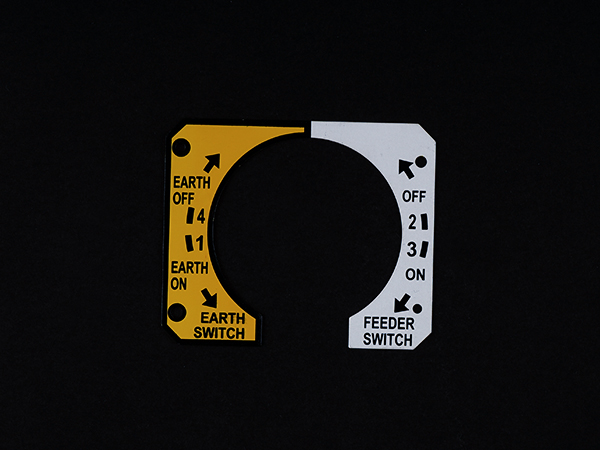 | Metal Labels A Control Panel Nameplate a flat, regularly vertical, region mounted on machine where control or observing instruments information are shown They are... View product → |
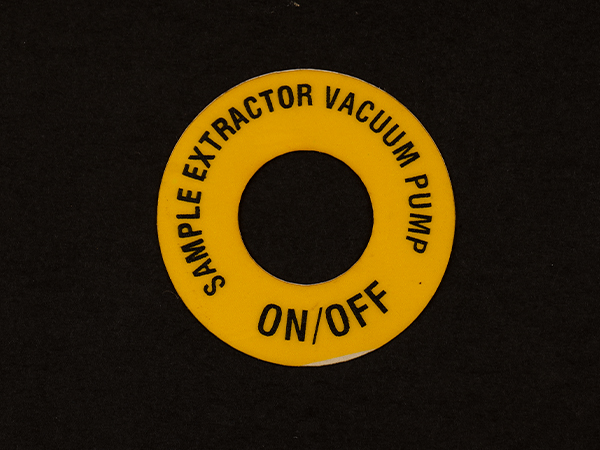 | Plastic Labels PVC & Polycarbonate Stickers are often used in various industries. View product → |
Frequently asked questions
What does a loose edge or trapped bubble reveal about a graphic overlay?
A loose edge, bubble, whitening or delamination points first to a bonding or interface failure rather than an ink failure.
What causes graphic overlays to fail on industrial control panels?
Common causes include poor surface preparation, installation pressure, heat, moisture, chemical exposure and abrasion of the printed face or hardcoat.
When is it safe to repair a damaged control panel nameplate?
Repair is safe only when the defect does not affect legends, switch identification, warning information, sealing or operator feedback. Replace it when those functions are unreliable.
What should you specify for a control panel overlay replacement?
Specify the substrate, adhesive, print method, protective finish, cut-outs, dimensions, environmental exposure and the required legend and colour accuracy.
Related products
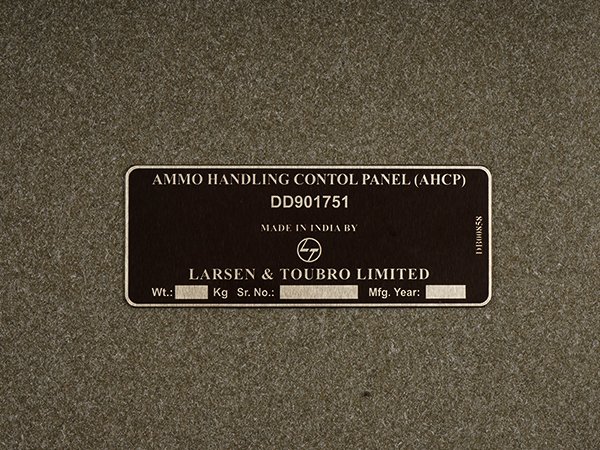 | Metal Labels Metalphoto Metalphoto is a specific kind of photosensitive anodized aluminum that is used to make durable, high-resolution nameplates, labels and control... |
 | Plastic Labels Vinyl Decals & Sticker is a kind of plastic that originates from characteristic substances, for example, salt and is viewed as an earth-accommodating... View product → |
 | Metal Labels In the most testing conditions, particularly overwhelming modern situations, where heat, moisture and erosion are available, Stainless Steel... View product → |