

A failed panel label becomes a production delay when nobody has the dimensions, artwork revision, or material record needed to reproduce it. You will learn how to identify the correct replacement part, capture usable measurements, approve artwork without a second cycle, and request a realistic Pune delivery schedule.
Key takeaways
- Confirm whether you need a nameplate, overlay, membrane overlay, or decal.
- Measure panel openings, controls, LEDs, displays, and switch travel.
- Preserve warnings, units, symbols, legends, and operating sequences in artwork.
- Approve a proof and specify adhesive, material, finish, and environment.
Identify the part before requesting a replacement
Start by deciding whether the failed part is a rigid nameplate, flexible graphic overlay, membrane-switch overlay, or vinyl decal; they are not interchangeable. A rigid aluminium or stainless-steel plate identifies equipment, while an overlay must clear buttons, LEDs, display windows, and switch travel. Misidentification produces a part that looks right but prevents operation.
- Photograph the part installed, showing its edges, panel curvature, buttons, indicators, and connectors.
- Record the finished length, width, thickness, corner radius, hole centres, cut-outs, window sizes, adhesive border, and key spacing.
- Check whether the failure is only cosmetic or includes peeling adhesive, cracked substrate, failed embossing, damaged switch contacts, or obscured indicators.
- Mark the artwork orientation: viewed from the printed face or through the substrate. State whether dimensions apply to the finished part, print area, or liner, and whether adhesive arrives exposed.
- Send the old part, approved artwork, revision number, die, screen set, or CNC file. A photograph alone cannot define tactile features or exact cut-outs.
For control panel nameplates in Pune, identify the substrate and fixing method before requesting a quote. For graphic overlays replacement in Pune, confirm key actuation and window alignment; visual similarity is not proof of function. A controlled revision avoids mirrored graphics and shifted openings.
Measure the panel and create usable source information
Measure the panel in millimetres, not from a screen image. Use a vernier caliper for the outside size, hole centres, and cut-outs; record the panel’s curvature and whether measurements are taken from the front viewing side or rear adhesive side.
Send a replacement request containing:
- Overall width and height, corner radius, and panel thickness
- Every hole and cut-out: width, height, diameter, centre-to-edge distances, and hole-to-hole spacing
- Button spacing, indicator locations, display-window dimensions, and any tactile feature positions
- The adhesive border width and the areas that must remain free of adhesive
- A straight-on photograph with a ruler, plus a side photograph showing curvature
- A clean rubbing, scan, or dimensioned drawing if the original artwork is missing
- The approved PDF or vector file, artwork revision, die or CNC data, and the original material, adhesive, and colour reference
For urgent control panel labels, send an approved physical sample or retained proof instead of relying on a photograph for colour matching. Identify the front viewing orientation, print side, scale, cut lines, and transparent windows clearly; otherwise mirrored graphics or shifted openings can trigger another approval cycle.
Include the machine model and panel location so the first-off part can be checked against the actual equipment.
Preserve every operating detail in the replacement artwork
Keep the approved artwork unchanged in every detail that affects operation: text, symbols, windows, colours, and revision data. A replacement that looks right but changes a warning, button legend, display window, or revision level can mislead an operator or create an obsolete machine record.
For control panel nameplates in Pune, send the supplier the latest approved PDF or vector file before asking for a redraw. Also retain:
- Exact wording, punctuation, units, font, symbol shape, and warning sequence
- Window and cut-out positions, dimensions, corner radii, button legends, and indicator markings
- Colour references, print direction, viewing side, texture, and transparent or opaque areas
- Drawing number, revision letter, release date, and superseded-artwork status
- Die, screen, or CNC data, plus the approved material and adhesive specification
| Element | Preserve | Failure if changed |
|---|---|---|
| Text | Labels, warnings, units, punctuation | Wrong operation or obsolete instruction |
| Symbols | Safety, function, and directional icons | Misread control or hazard |
| Windows | Shape, position, and transparency | Blocked display or indicator |
| Colours | Approved references and print orientation | Poor recognition or mismatched appearance |
| Revision details | Drawing number and current revision | Uncontrolled replacement |
State whether dimensions refer to the finished part, print area, or liner. Record whether the adhesive is exposed on delivery and whether artwork is viewed from the front or through the substrate; these details prevent mirrored graphics and reversed overlays.
Approve the proof before anything is printed or cut
A mirrored logo or shifted display window is usually an approval failure, not a printing failure. Before approving urgent control panel labels, compare the proof with the measured panel and confirm the artwork revision, scale, finished dimensions, corner radii, hole centres, cut lines, windows, and adhesive boundaries.
- Confirm orientation: identify the operator-facing side, mark “TOP,” and state whether the artwork is read from the front or through the substrate. Check every legend, symbol, arrow, logo, and tactile feature for mirroring.
- Check dimensions against the correct reference: finished part, print area, or liner. Overlay the proof on a rubbing, scan, or dimensioned drawing to catch shifted cut-outs, button holes, display windows, and mounting holes.
- Approve colour using an approved physical sample, defined colour standard, or retained proof—not a photograph or illuminated-panel image. Record the colour references and note whether each colour sits on an opaque or transparent substrate.
- Verify the adhesive side, exposed adhesive area, surface finish, revision number, and file name. Confirm whether the liner remains on delivery and whether the cut lines indicate the finished edge.
Sign and date one marked proof, then return the same revision for production. This controlled check makes graphic overlays replacement in Pune faster; an unmarked “looks right” response creates another approval cycle.
Choose material and adhesive for the panel environment
Select the substrate by matching the panel’s heat, moisture, chemicals, abrasion, flexibility, and operator interface—not by copying the old label blindly. A rigid nameplate can obstruct buttons or display windows meant for a graphic overlay.
| Material | Choose it when | Watch for |
|---|---|---|
| Aluminium | You need a rigid, lightweight identification plate for indoor equipment | Scratches, solvents, and edges that lift on curved panels |
| Stainless steel | The panel faces outdoor exposure, heat, moisture, or aggressive cleaning | Higher cost and difficult forming around controls |
| Polycarbonate | You need a flexible overlay with impact resistance and clear windows | Solvents and prolonged UV exposure can attack the surface |
| Polyester | You need a durable overlay, keypad face, or reverse-printed graphic | Confirm flexibility, embossing, and chemical resistance |
| Vinyl | You need a short-term decal on a smooth, clean surface | Shrinkage, edge lift, and limited resistance to heat and solvents |
| Metalphoto | You need a sealed, high-contrast aluminium plate for abrasion, chemicals, or outdoor service | It is rigid and unsuitable for membrane-switch travel |
For control panel nameplates in Pune, specify the adhesive separately. Match it to painted metal, powder coating, stainless steel, textured plastic, or low-surface-energy plastic; clean off oil and dust, apply at the adhesive’s minimum temperature, and allow its stated dwell time. Reverse-print clear polyester or polycarbonate when wiping could damage exposed ink.
Check UL 969 acceptance if the finished machine requires recognised marking.
Build a fast Pune replacement request and inspection plan
Set urgency as dated handoffs, not a promise. For urgent control panel labels, request separate completion dates for artwork proof, first-off approval, production quantity, and pickup or delivery. Local production in Pimpri-Chinchwad, Bhosari, Chakan, or wider Pune reduces transport time, but new tooling, imported adhesive, colour matching, or minimum quantities can still control the schedule.
Send one complete replacement pack:
- Approved artwork or the latest revision, with revision number and date
- Finished dimensions, cut lines, windows, holes, adhesive boundary, and viewing orientation
- Material, adhesive, colour reference, quantity, and required delivery point
- Photos of the installed part and the panel, including scale where possible
- Contact details for one approver and one receiving person
Require the proof to show scale, print orientation, cut lines, colour references, legend spelling, and adhesive coverage. Approve the proof in writing, then ask for a first-off photograph or physical sample before the full run. Reusing an approved file, die, screen set, or CNC program is faster than redrawing from a photograph.
For graphic overlays replacement in Pune, coordinate a fixed pickup window or delivery route after packing confirmation. Shreeniwas Signs Pvt Ltd can be evaluated against this handoff plan rather than an undefined “urgent” claim.
Inspect on receipt: dimensions, cut-outs, hole centres, orientation, spelling, colour, surface defects, adhesive coverage, and panel fit. Test button travel, switch actuation, indicator visibility, and display alignment; visual inspection alone misses functional failures.
Related products
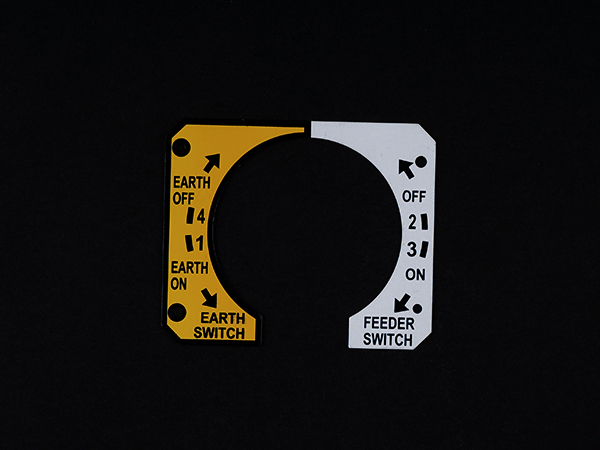 | Metal Labels A Control Panel Nameplate a flat, regularly vertical, region mounted on machine where control or observing instruments information are shown They are... View product → |
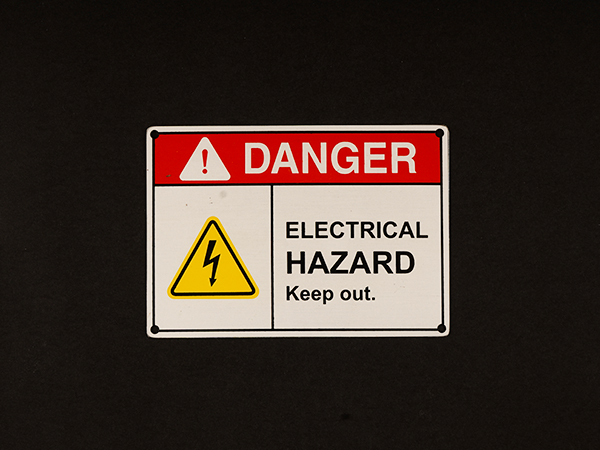 | Metal Labels Aluminum Nameplates are popularly known for their light weight and capacity to oppose corrosion.Its recognizable gleaming white shine offers... View product → |
Frequently asked questions
How do I identify the correct replacement for a failed control panel part?
Check whether the part is a rigid nameplate, flexible graphic overlay, membrane-switch overlay, or vinyl decal. They are not interchangeable, especially when buttons, LEDs, display windows, or switch travel are involved.
What information should I provide for a control panel replacement?
Provide panel dimensions, hole and cutout locations, control and display positions, corner radii, artwork files, photographs, material requirements, adhesive requirements, and the operating environment.
Why should I approve a proof before printing or cutting?
A proof lets you verify text, symbols, colours, dimensions, cutouts, warning labels, units, legends, and control clearances before production begins.
How do I choose material and adhesive for an urgent Pune replacement?
Match the material and adhesive to heat, moisture, chemicals, abrasion, sunlight, cleaning agents, and the panel surface. Specify the environment and inspection criteria in the replacement request.